Best Smart Home Devices to Cut Energy Use 2026: 5 Picks That Actually Help
Five smart home devices that help you use less energy: two thermostats, a plug with energy monitoring, a plain scheduling plug and a 9.5 W smart bulb.
By The In My Home Products Editorial Team
Published · 4 min read
We may earn a commission when you buy through links on this page. As an Amazon Associate, we earn from qualifying purchases. How we make money.

The short answer
- 1The best place to start is the thermostat. The ecobee Smart Thermostat Essential is ENERGY STAR certified, and ecobee says it saves up to 23% on heating and cooling in its own 2021 analysis. Treat that as a ceiling, not a promise.
- 2To find what's drawing power, the Kasa Smart Plug KP125M shows real-time and historical energy use. To stop waste, schedule lamps with the Kasa EP10 or switch to a Tapo L535E bulb that draws 9.5 W at most.
- 3Smart devices save energy only if you use the schedules. Set them once and review the app after a month.
Our top picks
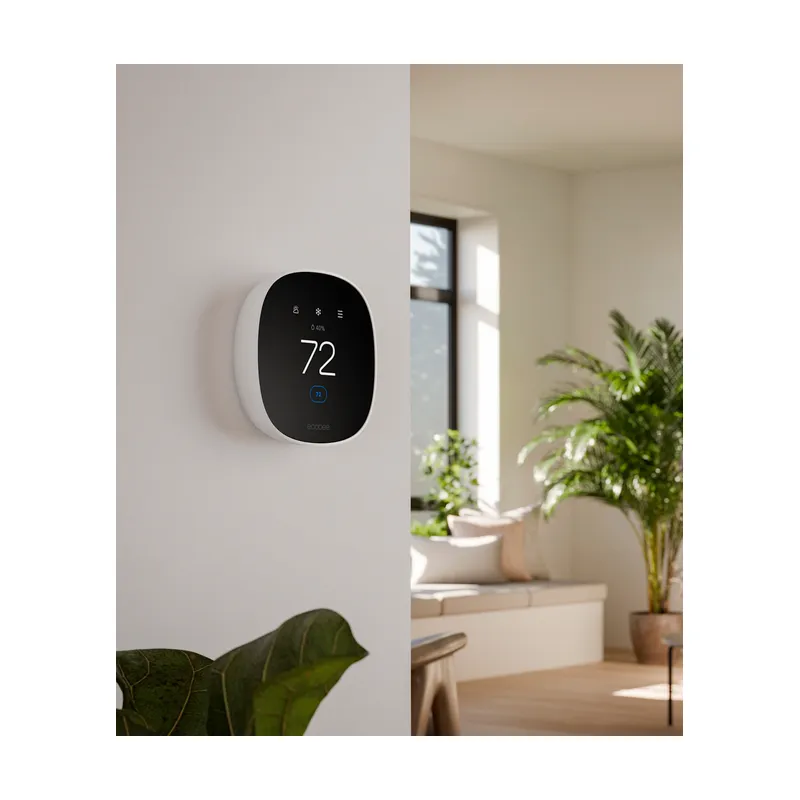
Best overall
ecobee Smart Thermostat EssentialMost homes that want a smart schedule and app control, with ENERGY STAR certification
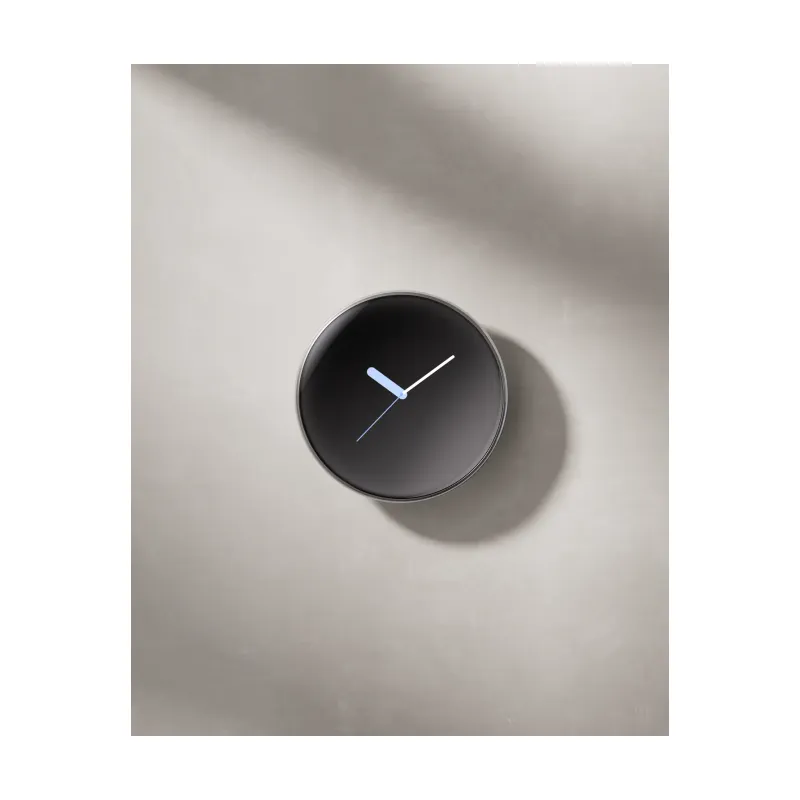
Best for Google homes
Google Nest Learning Thermostat (4th gen) with Nest Temperature SensorGoogle Home households and homes without a C wire
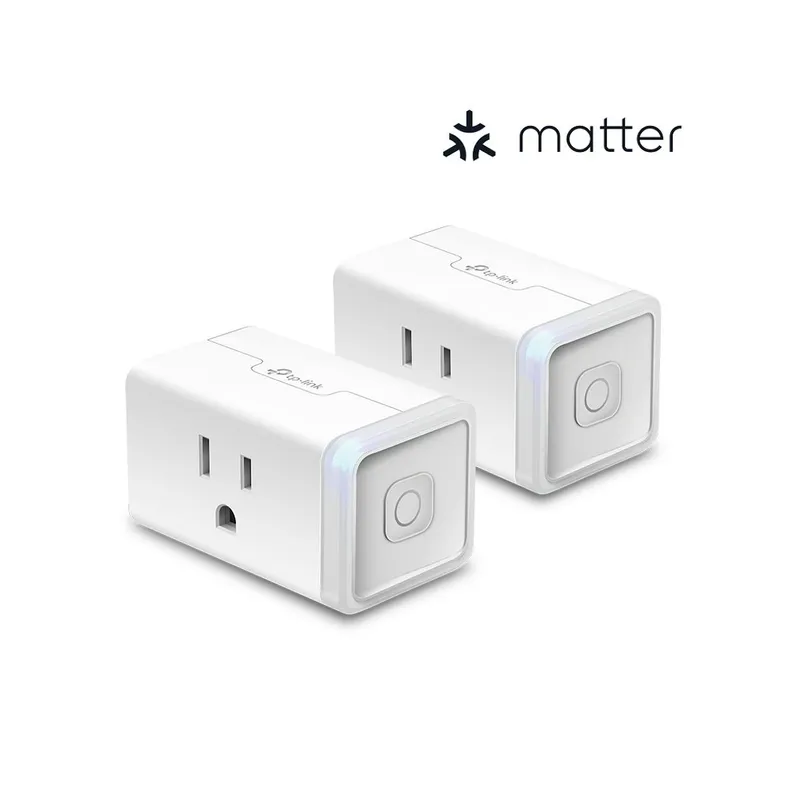
Best for finding energy hogs
Kasa Smart Wi-Fi Plug Slim with Energy Monitoring (Matter)Anyone who wants to see how much a device uses, with Matter support
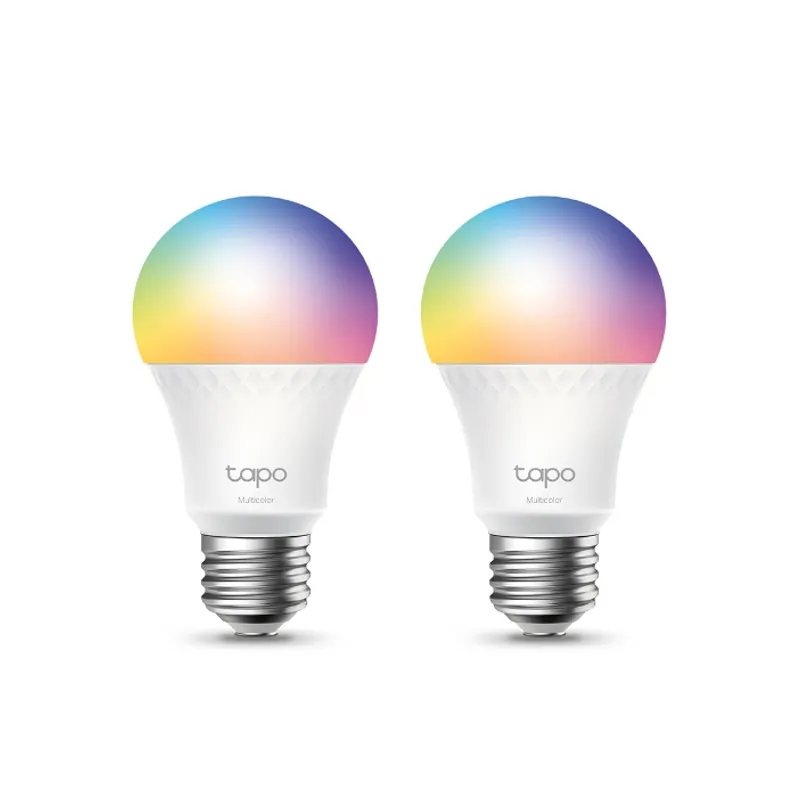
Best smart bulb
Tapo L535E Matter Smart Wi-Fi Light Bulb, Multicolor (75W equivalent, 1100 lumens, 2-pack)Rooms where lights get left on, with schedules and no hub
Best for scheduling lamps
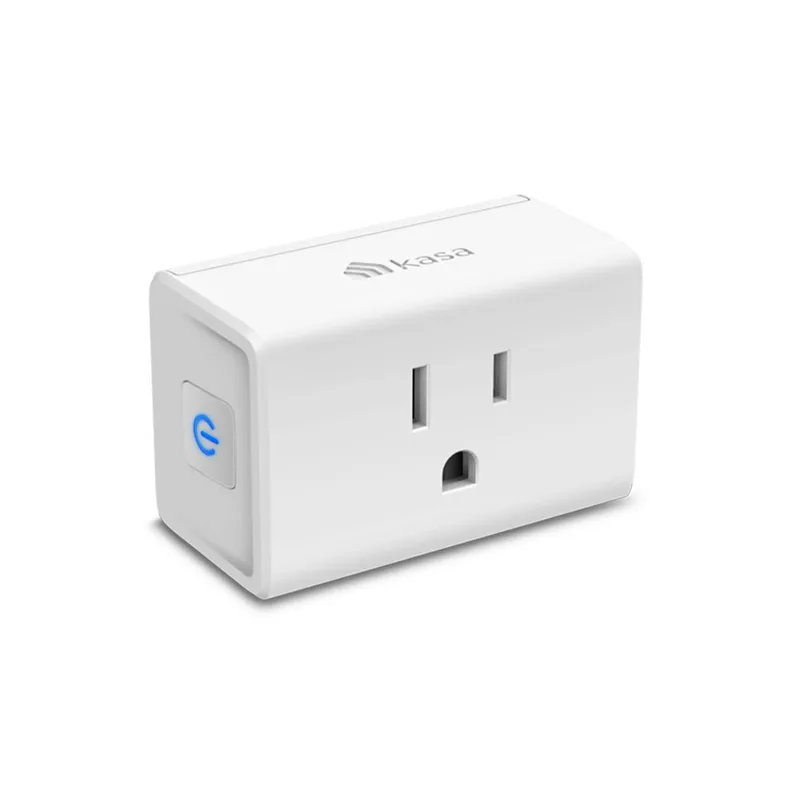
Kasa Smart Wi-Fi Plug Mini EP10Alexa or Google homes that just need lamps and lights on a schedule
You don't need a house full of gadgets to use less energy. A handful of devices that do one job well will get you most of the way: a thermostat that stops heating an empty house, a plug that shows what an old appliance really uses, and a schedule that turns off the lamp you always forget.
We compared official specs from ecobee, Google, Kasa and Tapo, mostly through their own sites and listings at Home Depot, Target and Walmart, and analyzed long-term owner feedback on setup, reliability and the apps. ENERGY STAR says almost half of the average household's energy bill goes to heating and cooling, which is why the thermostats lead this list. For a deeper look at those, see our best smart thermostats.
How we chose
We picked devices that can plausibly reduce use, not just add convenience, and that work without a hub. We favored ones that support Matter or the big assistants, and we left out devices that depend on a subscription. Each pick below has a weak spot we can name. Smart home gadgets save money only if you set schedules, so we also weighed how easy each app is to use.
| Model | ecobee Essential | Nest Learning Thermostat (4th gen) | Kasa KP125M | Tapo L535E | Kasa EP10 |
|---|---|---|---|---|---|
| Our score | 8.5/10 | 8.1/10 | 8.8/10 | 8.3/10 | 8.2/10 |
| Price tier | $$ (Mid-range) | $$$ (Premium) | $ (Budget) | $ (Budget) | $ (Budget) |
| Smart home | Apple Home, Google Assistant, Amazon Alexa | Matter; Google Home app required for setup | Matter certified; voice control with Alexa, Siri and Google Assistant; Apple Home setup through Matter | Matter compatible; works with Google Home and Amazon Alexa, plus Siri and Apple Home | Alexa and Google Assistant (no Matter or Apple Home listed) |
| Warranty | 3 years | 2 years (retail) | — | — | — |
| Wi-Fi | Wi-Fi 6, 2.4 GHz only; Bluetooth LE 5.4 | 802.11n, 2.4 GHz and 5 GHz | — | — | 2.4 GHz 802.11b/g/n only |
| Energy | Certified | Certified | Yes: real-time and historical use, bill estimate, auto shutoff above a set power level | — | Not listed by Kasa |
| Best for | Most homes that want a reliable smart schedule and app control without paying for sensors and voice | Google Home households and homes without a C wire | Most homes, especially anyone who wants energy readings and Matter | Anyone who wants a bright, no-hub Matter color bulb at a fair price | Alexa or Google homes that just need lamps and lights on a schedule |
The best smart home devices to cut energy use, ranked
1. Best overall
ecobee Smart Thermostat Essential

Best for: Most homes that want a reliable smart schedule and app control without paying for sensors and voice
Skip it if: You need a room sensor out of the box, or your system needs both 2 heat and 2 cool stages
What owners like
- Easy setup and a clear interface for the price
- Works with Apple, Google and Alexa homes
- The power adapter solves homes without a C wire
Watch out for
- No voice assistant and no room sensor in the box
- The C-wire adapter costs extra
- Some owners hit app bugs where settings didn't stick until an update
The one to buy if you buy only one. The Essential has a full-color touchscreen, works with Apple Home, Google Assistant and Alexa, and is ENERGY STAR certified. ecobee says it saves up to 23% on heating and cooling, per its own 2021 analysis, so treat that as a ceiling. It has a 3-year warranty and handles radiant, multistage and dual-fuel heat pumps. Owners say setup is easy and the interface is clear. The catches: no room sensor and no voice assistant in the box, the Power Extender Kit for homes without a C wire is sold separately, and some owners hit app bugs where settings didn't stick until an update. Read our ecobee Essential review, or compare it with the pricier model in ecobee Essential vs Premium.
Key specs and score breakdown
- Power / C wire
- No C wire needed with the Power Extender Kit (sold separately)
- HVAC compatibility
- Radiant, multistage and dual-fuel heat pumps; 2 cool + 1 heat or 2 heat + 1 cool (not both)
- Display
- Full-color touchscreen
- Room sensors
- None included; pairs with ecobee SmartSensors (not the first-generation Room Sensor)
- Voice assistant
- None built in
- Smart home platforms
- Apple Home, Google Assistant, Amazon Alexa
- Wi-Fi
- Wi-Fi 6, 2.4 GHz only; Bluetooth LE 5.4
- Dimensions
- 3.62 x 3.62 x 0.91 in
Specs from the ecobee product page, checked November 13, 2026.
- Performance (30%)
- 8.6
- Ease of use (20%)
- 8.2
- Fit for the home (20%)
- 8.0
- Build & support (15%)
- 8.0
- Value (15%)
- 8.6
2. Best for Google homes
Google Nest Learning Thermostat (4th gen) with Nest Temperature Sensor

Best for: Google Home households and homes without a C wire
Skip it if: You want Alexa built in or a 3-year warranty
What owners like
- Owners love the design and the bigger, sharper screen
- The display wakes up as you approach
- No C wire needed in most homes
Watch out for
- Some owners found the screen too dim in dark rooms
- Setup and Google Home app glitches
- Occasional system error notifications
The pick for Google Home households. It has a 2.68-inch round display, a rechargeable battery that lets it work without a C wire in most homes, a Nest Temperature Sensor in the box and ENERGY STAR certification. It also supports Matter, so it works with Apple Home. Owners love the design and the sharper screen. The catches: some find the screen too dim in dark rooms, some hit setup and Google Home app glitches, and the retail warranty is 2 years, a year shorter than ecobee's. See how it stacks up in Nest vs ecobee thermostat.
Key specs and score breakdown
- Power / C wire
- 20–30 VAC with a built-in rechargeable battery; designed to work without a C wire in most homes (a C wire or Nest Power Connector is needed in a small share)
- HVAC compatibility
- Up to 3 heat / 3 cool stages; heat pumps up to 5 heat / 3 cool; fan, humidifier, dehumidifier and ventilation
- Display
- 2.68 in round LCD (600 x 600)
- Room sensors
- Nest Temperature Sensor (2nd gen) included; built-in Soli radar, temperature, humidity and ambient light sensors
- Smart home platforms
- Matter; Google Home app required for setup
- Wi-Fi
- 802.11n, 2.4 GHz and 5 GHz
- Dimensions
- 3.9 in diameter x 1.1 in deep; 5.7 oz
- ENERGY STAR
- Certified
Specs from the Google product page, checked November 7, 2026.
- Performance (30%)
- 8.4
- Ease of use (20%)
- 8.0
- Fit for the home (20%)
- 8.2
- Build & support (15%)
- 8.0
- Value (15%)
- 7.6
3. Best for finding energy hogs
Kasa Smart Wi-Fi Plug Slim with Energy Monitoring (Matter)

Best for: Most homes, especially anyone who wants energy readings and Matter
Skip it if: You only need a basic on/off schedule and want the cheapest plug
What owners like
- Owners frequently mention easy setup in Apple Home and Google Home through Matter
- The energy readings are often cited as useful for finding power-hungry devices
- Owners like that two plugs fit on one wall outlet
Watch out for
- Some owners report occasional drops off Wi-Fi that need a re-pair
- It only works on 2.4 GHz Wi-Fi, which trips up some setups
- A few features (like the auto-off timer) arrived later or are still pending
The best way to find out where the power goes. The KP125M is a Matter-certified smart plug that shows real-time and historical use, gives a bill estimate and can shut off automatically above a set power level. It's rated for 15 A and 1,800 W, works with Alexa, Siri and Google Assistant, and two can share one duplex outlet. Owners often cite the energy readings as useful for finding power-hungry devices. The catches: it's 2.4 GHz Wi-Fi only, some owners report occasional drops off Wi-Fi that need a re-pair, and a few features arrived later. Read our Kasa KP125M review.
Key specs and score breakdown
- Max load
- 15 A, 1,800 W (general use / resistive load), 1/6 HP motor
- Input voltage
- 100–120 V, 50/60 Hz
- Smart home
- Matter certified; voice control with Alexa, Siri and Google Assistant; Apple Home setup through Matter
- Energy monitoring
- Yes: real-time and historical use, bill estimate, auto shutoff above a set power level
- Size
- 2.6 x 1.5 x 1.6 in; two can share one duplex outlet
- Features
- Schedules, Away Mode, remote control, groups
- Certifications
- UL, FCC, IC, RoHS; UL94 V-0 flame-retardant housing
- Operating temperature
- 32–104°F (indoor use)
Specs from the Kasa (TP-Link) product page, checked November 8, 2026.
- Performance (30%)
- 8.0
- Ease of use (20%)
- 8.0
- Fit for the home (20%)
- 8.4
- Build & support (15%)
- 7.6
- Value (15%)
- 8.8
4. Best smart bulb
Tapo L535E Matter Smart Wi-Fi Light Bulb, Multicolor (75W equivalent, 1100 lumens, 2-pack)

Best for: Anyone who wants a bright, no-hub Matter color bulb at a fair price
Skip it if: You need a bulb that works with a wall dimmer or a 5 GHz-only network
What owners like
- Owners frequently mention easy Matter pairing in Apple Home and Google Home by scanning the code
- The extra brightness is often cited as a reason to choose it over 800-lumen bulbs
- Many owners report stable connections over months of use
Watch out for
- Some owners find saturated colors look dim compared with white light
- A few say the lowest brightness setting is still too bright for a night light
- Some report firmware updates that temporarily changed features or Matter behavior
The simplest bulb swap. The Tapo L535E is a 1,100-lumen (75 W equivalent) color bulb that draws 9.5 W at most, has a rated life of 25,000 hours and needs no hub. It works with Matter, Apple Home, Google Home and Alexa, so you can set schedules and make sure the light isn't left on all night. Owners frequently mention easy Matter pairing and stable connections. The catches: it's 2.4 GHz Wi-Fi only, it doesn't work with wall dimmers, and some owners report firmware updates that temporarily changed features. For more bulbs, see our best smart light bulbs.
Key specs and score breakdown
- Brightness
- 1,100 lumens (75 W equivalent), 9.5 W max
- Light range
- Millions of colors plus tunable white, 2500–6500K
- Connectivity
- 2.4 GHz Wi-Fi only (802.11b/g/n); Bluetooth for setup only
- Hub
- No hub required (a hub is only needed for Tapo buttons and sensors)
- Smart home
- Matter compatible; works with Google Home and Amazon Alexa, plus Siri and Apple Home
- Rated life
- 25,000 hours; 15,000 switching cycles
- Color quality
- CRI 90 or higher
- Bulb
- A19 shape, E26 base, 120 V; works with regular switches, not with dimmers
Specs from the Tapo (TP-Link) product page, checked November 9, 2026.
- Performance (30%)
- 7.6
- Ease of use (20%)
- 8.2
- Fit for the home (20%)
- 7.8
- Build & support (15%)
- 7.4
- Value (15%)
- 8.6
5. Best for scheduling lamps
Kasa Smart Wi-Fi Plug Mini EP10

Best for: Alexa or Google homes that just need lamps and lights on a schedule
Skip it if: You use Apple Home or want energy readings
What owners like
- Owners frequently describe it as a simple, set-and-forget plug for lamps and holiday lights
- Schedules and Away Mode are said to work reliably
- Multi-packs make it an easy way to automate several lamps
Watch out for
- No Matter or Apple Home support
- No energy monitoring
- 2.4 GHz Wi-Fi only
The cheapest schedule on this list. The EP10 is a basic plug with schedules, an auto-off timer, Away Mode and remote control, rated for 15 A and 1,800 W. Owners describe it as a set-and-forget plug for lamps and holiday lights, and multi-packs make it easy to automate several. It ranks last because it has no energy monitoring, no Matter and no Apple Home, and it's 2.4 GHz only. If you want to see usage or use Apple Home, buy the KP125M. For more plugs, see our best smart plugs.
Key specs and score breakdown
- Max load
- 15 A, 1,800 W (general use / resistive load), 1/6 HP motor
- Input voltage
- 100–120 V AC
- Wi-Fi
- 2.4 GHz 802.11b/g/n only
- Smart home
- Alexa and Google Assistant (no Matter or Apple Home listed)
- Energy monitoring
- Not listed by Kasa
- Features
- Schedules, auto-off timer, Away Mode, groups, remote control
- Certifications
- UL, FCC, IC, RoHS
Specs from the Kasa (TP-Link) product page, checked November 8, 2026.
- Performance (30%)
- 7.2
- Ease of use (20%)
- 8.4
- Fit for the home (20%)
- 7.6
- Build & support (15%)
- 7.4
- Value (15%)
- 8.8
How to choose smart devices that save energy
Start with heating and cooling
Heating and cooling are the biggest part of most bills, so a thermostat is where savings are most likely. Check that it works with your system (heat pump, multistage, dual-fuel) and whether you need a C wire. Our smart thermostat guide covers the details.
Measure before you automate
Plug an energy-monitoring plug like the KP125M into a device you suspect is a power hog, such as a second refrigerator, a desktop computer or an entertainment center. If it's drawing power all day, put it on a schedule or switch it off at the plug.
Use schedules, not just apps
A smart bulb or plug only saves energy when it turns something off. Set an Away Mode, a bedtime schedule and an auto-off timer. Review the app's usage after a month and adjust.
Know the limits of a plug
Plugs are rated for resistive loads up to 15 A and 1,800 W, and they're for indoor use. Don't plug a space heater, an air conditioner or a major appliance into one. Our space heater safety guide explains why.
Check the Wi-Fi band
Every device here uses 2.4 GHz Wi-Fi (the Nest also supports 5 GHz). If your router merges both bands under one name, setup can fail. Most apps walk you through it.
What we considered but didn't pick
- ecobee Smart Thermostat Premium. Excellent, with a room sensor and Alexa built in, but it's in the highest price tier and the Essential covers most homes. See ecobee Essential vs Premium.
- Tapo P125M. A compact Matter plug, but Tapo doesn't list energy monitoring, so the KP125M is the better pick for savings.
- Smart power strips and whole-home monitors. Useful, but they need an electrician or more setup than most readers want. We'll cover them separately.
Frequently asked questions
Do smart home devices really save energy?
Some do, if you use them. A smart thermostat that sets back the temperature when you're asleep or out can trim heating and cooling use, and ENERGY STAR certifies smart thermostats for that reason. Plugs and bulbs mostly help by cutting waste: a schedule turns off a lamp you'd forget, and an energy-monitoring plug shows what a device uses. Savings depend on your home and habits.
How much can a smart thermostat save?
ecobee says the Essential saves up to 23% on heating and cooling, based on its own 2021 analysis, and the Premium up to 26% versus a constant 72°F. Those are the company's figures, so treat them as a best case. Your savings depend on your climate, your system and how much you used to adjust the thermostat by hand.
Does a smart plug use electricity?
Yes, a small amount, since it stays connected to Wi-Fi. A plug saves energy only when it turns off something that would otherwise stay on. The Kasa KP125M's energy monitoring helps you find which devices are worth scheduling.
Can I put a space heater on a smart plug?
We don't recommend it. Space heaters draw a lot of current, and our space heater safety guide says to plug them directly into a wall outlet. The Kasa KP125M and EP10 are rated for 15 A and 1,800 W, but a heater is a bad place to test that limit.
Do I need a C wire for a smart thermostat?
Not always. The ecobee Essential works without one if you add its Power Extender Kit, which is sold separately. The Nest Learning Thermostat is designed to work without a C wire in most homes. Check your wiring before you buy.
Keep reading

Best Air Purifiers for Smoke and Cooking Odors 2026: 4 Picks Ranked by Smoke CADR
Four air purifiers ranked by smoke CADR and carbon filtering, for wildfire smoke, cooking fumes and everyday odors in living rooms and bedrooms.

Is the Blueair Blue Pure 211i Max Worth It for Big Rooms? Our Review
A 435 CFM smoke CADR, 674 sq ft rating and an app. Where the Blueair Blue Pure 211i Max shines, where it falls short, and who should skip it.

The Outdoor Smart Plug for Holiday Lights: Kasa EP40M Review
Two separately controlled outlets, IP64 weather resistance and Matter support. Where the Kasa EP40M shines, where it falls short, and who should skip it.