Best Smart Thermostats 2026: 4 Picks That Pay Attention to Your Home
ecobee, Google Nest or Honeywell Home? Four smart thermostats compared on C-wire needs, room sensors, HVAC support, smart home platforms and warranty.
By The In My Home Products Editorial Team
Published · 5 min read
We may earn a commission when you buy through links on this page. As an Amazon Associate, we earn from qualifying purchases. How we make money.

The short answer
- 1The ecobee Smart Thermostat Premium is the best smart thermostat for most homes: a room sensor and a C-wire adapter in the box, Alexa built in, Apple Home and Google support, and a 3-year warranty.
- 2In a Google Home, or a house with no C wire, get the Google Nest Learning Thermostat (4th gen). Google says it works without a C wire in most homes, and it supports Matter.
- 3On a budget, the ecobee Smart Thermostat Essential covers the basics well. Check your HVAC stages first: it supports 2 heat + 1 cool or 2 cool + 1 heat, not both.
Our top picks
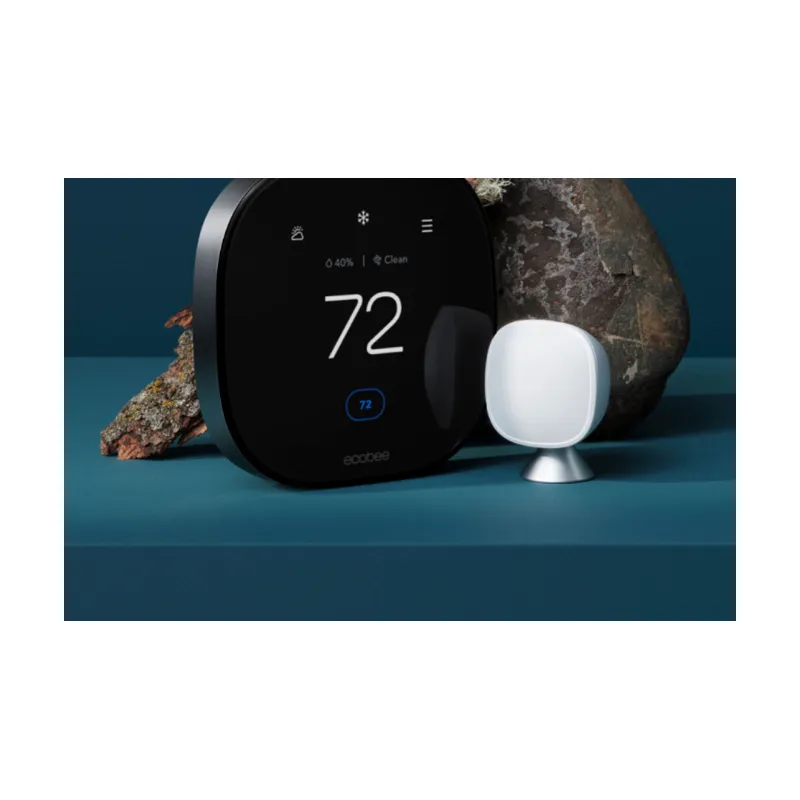
Best overall
ecobee Smart Thermostat Premium with SmartSensorHomes with uneven room temperatures that want a sensor and voice control in the box
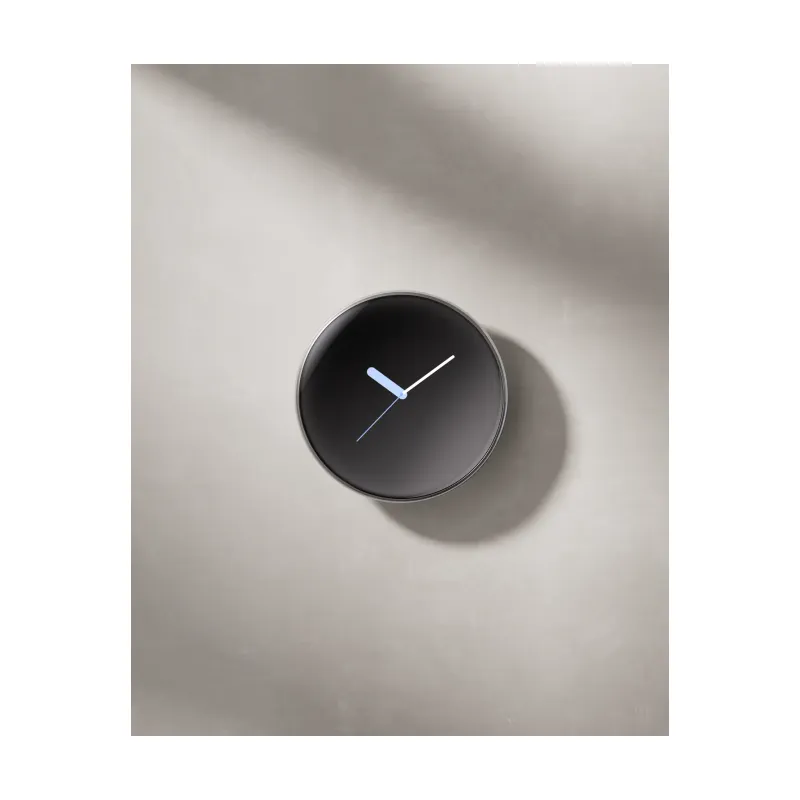
Best for Google homes and no C wire
Google Nest Learning Thermostat (4th gen) with Nest Temperature SensorGoogle Home households and homes without a C wire
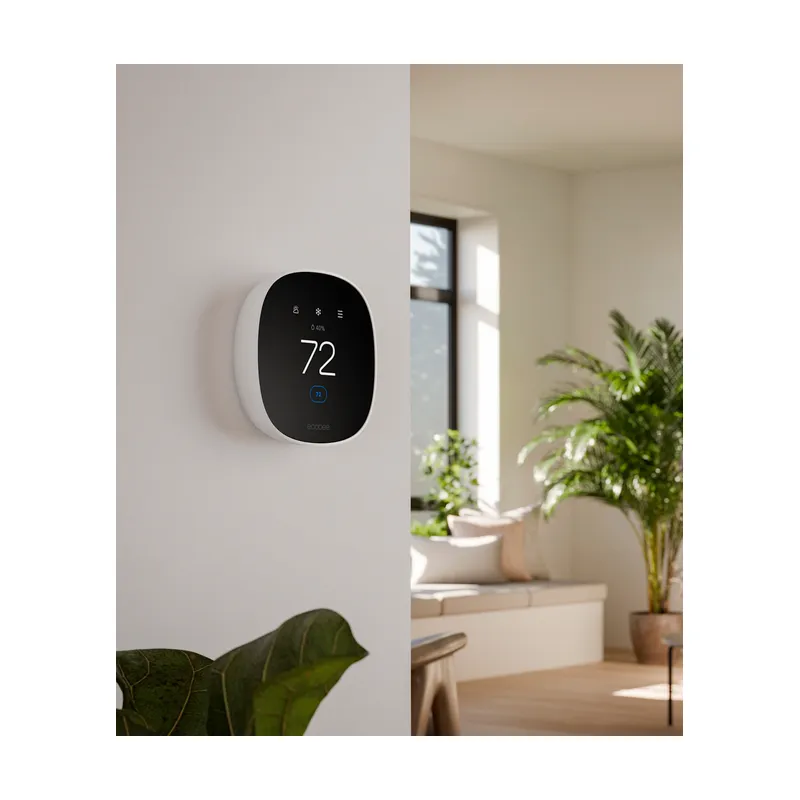
Best value
ecobee Smart Thermostat EssentialSimple systems that need a reliable schedule and app control
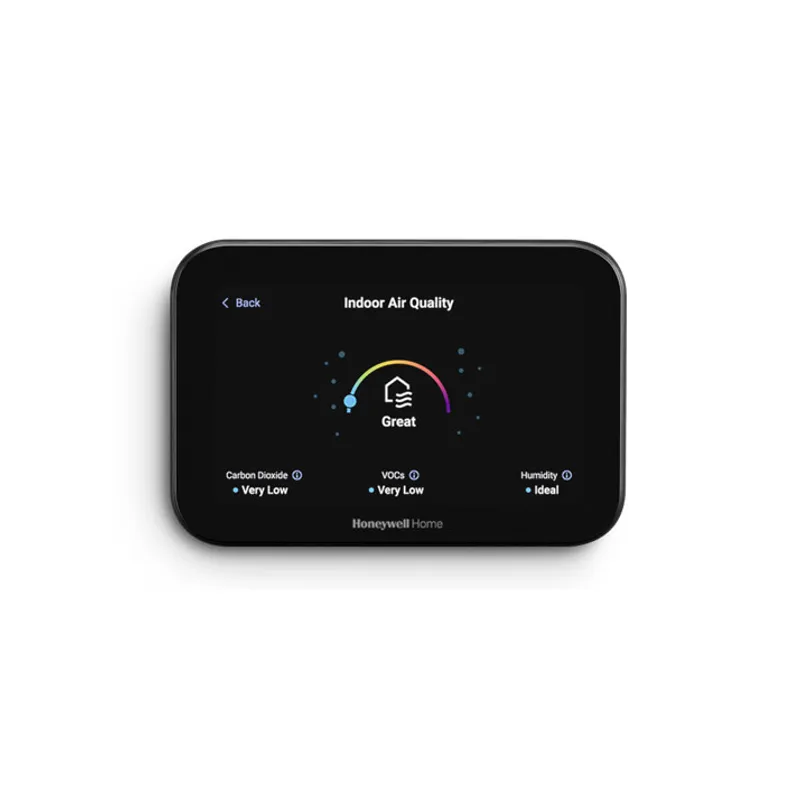
Best big screen
Honeywell Home X8S Smart ThermostatMatter smart homes that want air-quality readings and doorbell video on the wall
A smart thermostat is one of the few home upgrades that can pay part of its own way. ENERGY STAR says almost half of the average household's energy bill goes to heating and cooling, and a thermostat that automatically sets back the temperature when you're asleep or out trims that bill without you thinking about it.
We compared official specs from ecobee, Google and Honeywell Home and analyzed long-term owner feedback. Before you buy, check two things: whether you have a C wire, and how many heating and cooling stages your system has. If only one room runs cold, a portable heater from our best space heaters may be the cheaper fix.
How we chose
Every pick has an app, scheduling and remote control. We weighed comfort features (room sensors, occupancy sensing), how hard installation is (C-wire needs and included adapters), HVAC compatibility, support for Apple Home, Google, Alexa and Matter, warranty, and value for the price tier. For a cheaper first step into Matter and schedules, see our best smart plugs.
| Model | ecobee Premium | Nest Learning Thermostat (4th gen) | ecobee Essential | Honeywell Home X8S |
|---|---|---|---|---|
| Our score | 8.4/10 | 8.1/10 | 8.5/10 | 8.1/10 |
| Price tier | $$$ (Premium) | $$$ (Premium) | $$ (Mid-range) | $$$ (Premium) |
| C wire | 24 VAC (C and Rc); Power Extender Kit included for most homes without a C wire | 20–30 VAC with a built-in rechargeable battery; designed to work without a C wire in most homes (a C wire or Nest Power Connector is needed in a small share) | No C wire needed with the Power Extender Kit (sold separately) | — |
| Room sensors | 1 SmartSensor included; built-in temperature, humidity and radar occupancy sensors | Nest Temperature Sensor (2nd gen) included; built-in Soli radar, temperature, humidity and ambient light sensors | None included; pairs with ecobee SmartSensors (not the first-generation Room Sensor) | Optional Smart Room Sensors (bundle with one sensor available) |
| Smart home | Apple HomeKit, Amazon Alexa, Google Assistant, SmartThings, IFTTT | Matter; Google Home app required for setup | Apple Home, Google Assistant, Amazon Alexa | Matter certified; works with Amazon Alexa, Google Assistant and Apple Home |
| Display | 4 in full-color LCD touchscreen (540 x 540) | 2.68 in round LCD (600 x 600) | Full-color touchscreen | 5 in touchscreen |
| Warranty | 3-year limited | 2 years (retail) | 3 years | — |
| Best for | Homes with uneven room temperatures that want a room sensor, voice control and broad smart home support | Google Home households and homes without a C wire | Most homes that want a reliable smart schedule and app control without paying for sensors and voice | Smart homes that want Matter, a big screen and air-quality readings on the wall |
The best smart thermostats, ranked
1. Best overall
ecobee Smart Thermostat Premium with SmartSensor

Best for: Homes with uneven room temperatures that want a room sensor, voice control and broad smart home support
Skip it if: You only need a simple schedule for one room, or you want Matter support today
What owners like
- Installation is straightforward thanks to the included power adapter
- The room sensor evens out hot and cold rooms
- Works smoothly with Apple Home
Watch out for
- SmartSensor batteries are a less common coin cell and some owners say they drain quickly
- Radar occupancy can be triggered by pets
- No battery backup, so the screen goes dark in a power outage
The ecobee Premium does the most out of the box. A SmartSensor comes included, so you can balance a hot upstairs bedroom against a cool living room, and the thermostat itself has temperature, humidity and radar occupancy sensors. The Power Extender Kit in the box handles most homes without a C wire. It has a 4-inch color touchscreen, Alexa built in and support for Apple HomeKit, Google Assistant and SmartThings, and it carries a 3-year limited warranty. Owners say installation is straightforward and the room sensor makes a real difference. The catches: sensor batteries are a less common coin cell, radar can be triggered by pets, and there's no battery backup, so the screen goes dark in an outage.
Key specs and score breakdown
- Power / C wire
- 24 VAC (C and Rc); Power Extender Kit included for most homes without a C wire
- HVAC compatibility
- Conventional up to 2 heat / 2 cool; heat pumps up to 2 heat / 2 cool plus 2-stage aux heat; boilers; PTAC or fan coil (up to 3 fan speeds); 1 accessory (humidifier, dehumidifier or HRV/ERV)
- Display
- 4 in full-color LCD touchscreen (540 x 540)
- Room sensors
- 1 SmartSensor included; built-in temperature, humidity and radar occupancy sensors
- Voice assistant
- Alexa built in; Siri via HomePod or HomePod mini
- Smart home platforms
- Apple HomeKit, Amazon Alexa, Google Assistant, SmartThings, IFTTT
- Wi-Fi
- Dual-band 2.4 GHz and 5 GHz; Bluetooth 5.0
- Dimensions
- 4.09 x 4.09 x 1.02 in (trim plate 5.65 x 6.29 in)
Specs from the ecobee product page, checked November 7, 2026.
- Performance (30%)
- 9.2
- Ease of use (20%)
- 8.8
- Fit for the home (20%)
- 9.0
- Build & support (15%)
- 8.8
- Value (15%)
- 8.2
2. Best for Google homes and no C wire
Google Nest Learning Thermostat (4th gen) with Nest Temperature Sensor

Best for: Google Home households and homes without a C wire
Skip it if: You want Alexa built in or a 3-year warranty
What owners like
- Owners love the design and the bigger, sharper screen
- The display wakes up as you approach
- No C wire needed in most homes
Watch out for
- Some owners found the screen too dim in dark rooms
- Setup and Google Home app glitches
- Occasional system error notifications
The 4th-gen Nest Learning Thermostat is the pick for Google homes and for houses without a C wire. Google says it's designed to work without one in most homes, using a built-in rechargeable battery. It has a 2.68-inch round display that wakes as you approach, supports up to 3 heat and 3 cool stages (heat pumps up to 5 heat and 3 cool) and works through Matter with other smart home apps. A Nest Temperature Sensor comes with it. Owners like the design and the larger screen. The trade-offs: setup requires the Google Home app, owners report occasional app glitches, and it has a 2-year warranty versus ecobee's 3. Torn between the two? Our Nest vs ecobee comparison breaks it down by wiring, app and HVAC system.
Key specs and score breakdown
- Power / C wire
- 20–30 VAC with a built-in rechargeable battery; designed to work without a C wire in most homes (a C wire or Nest Power Connector is needed in a small share)
- HVAC compatibility
- Up to 3 heat / 3 cool stages; heat pumps up to 5 heat / 3 cool; fan, humidifier, dehumidifier and ventilation
- Display
- 2.68 in round LCD (600 x 600)
- Room sensors
- Nest Temperature Sensor (2nd gen) included; built-in Soli radar, temperature, humidity and ambient light sensors
- Smart home platforms
- Matter; Google Home app required for setup
- Wi-Fi
- 802.11n, 2.4 GHz and 5 GHz
- Dimensions
- 3.9 in diameter x 1.1 in deep; 5.7 oz
- ENERGY STAR
- Certified
Specs from the Google product page, checked November 7, 2026.
- Performance (30%)
- 9.0
- Ease of use (20%)
- 8.8
- Fit for the home (20%)
- 8.8
- Build & support (15%)
- 8.4
- Value (15%)
- 8.0
3. Best value
ecobee Smart Thermostat Essential

Best for: Most homes that want a reliable smart schedule and app control without paying for sensors and voice
Skip it if: You need a room sensor out of the box, or your system needs both 2 heat and 2 cool stages
What owners like
- Easy setup and a clear interface for the price
- Works with Apple, Google and Alexa homes
- The power adapter solves homes without a C wire
Watch out for
- No voice assistant and no room sensor in the box
- The C-wire adapter costs extra
- Some owners hit app bugs where settings didn't stick until an update
The Essential is the smart buy if you just want a reliable schedule and app control. You get a full-color touchscreen, Apple Home, Google Assistant and Alexa support, and a 3-year warranty in a lower price tier. You can add ecobee SmartSensors later. Know the limits: no voice assistant or sensor in the box, Wi-Fi is 2.4 GHz only, the C-wire adapter is sold separately, and it supports 2 heat + 1 cool or 2 cool + 1 heat, not both. Check your system before you order; our ecobee Essential review walks through the wiring check.
Key specs and score breakdown
- Power / C wire
- No C wire needed with the Power Extender Kit (sold separately)
- HVAC compatibility
- Radiant, multistage and dual-fuel heat pumps; 2 cool + 1 heat or 2 heat + 1 cool (not both)
- Display
- Full-color touchscreen
- Room sensors
- None included; pairs with ecobee SmartSensors (not the first-generation Room Sensor)
- Voice assistant
- None built in
- Smart home platforms
- Apple Home, Google Assistant, Amazon Alexa
- Wi-Fi
- Wi-Fi 6, 2.4 GHz only; Bluetooth LE 5.4
- Dimensions
- 3.62 x 3.62 x 0.91 in
Specs from the ecobee product page, checked November 13, 2026.
- Performance (30%)
- 8.4
- Ease of use (20%)
- 8.8
- Fit for the home (20%)
- 8.0
- Build & support (15%)
- 8.6
- Value (15%)
- 9.0
4. Best big screen
Honeywell Home X8S Smart Thermostat

Best for: Smart homes that want Matter, a big screen and air-quality readings on the wall
Skip it if: You want a model with years of owner feedback, or you'd rather confirm wiring and HVAC compatibility on a full official spec sheet first
What owners like
- Reviewers like the big, bright screen
- Air-quality monitoring is a useful extra
- Remote control in the app works well
Watch out for
- At launch, the First Alert app had trouble finding the thermostat (since fixed, per reviewers)
- Doorbell pairing is fiddly and only First Alert and Ring are supported
- It's new, so long-term owner feedback is still thin
The X8S is Honeywell Home's newest smart thermostat and the most screen for your money: a 5-inch touchscreen that also shows indoor air quality (humidity, VOCs and estimated CO2) and live video from First Alert and Ring doorbells. It's Matter certified and works with Alexa, Google and Apple Home, and you can add Smart Room Sensors. It ranks last because it's new: long-term owner feedback is thin, Honeywell's own spec pages weren't readable when we checked, and reviewers flagged app and doorbell-pairing hiccups at launch.
Key specs and score breakdown
- Display
- 5 in touchscreen
- Smart home platforms
- Matter certified; works with Amazon Alexa, Google Assistant and Apple Home
- Wi-Fi
- Dual-band
- Room sensors
- Optional Smart Room Sensors (bundle with one sensor available)
- Air-quality sensing
- Humidity, VOCs and estimated CO2
- Doorbell video
- Live view and talk-back from First Alert and Ring video doorbells
- App
- First Alert app
- Savings claim
- Average yearly savings claimed by Resideo, based on its December 2024 analysis of US users of Honeywell Home ENERGY STAR thermostats using schedules
Specs from the Honeywell Home product page, checked November 7, 2026.
- Performance (30%)
- 8.4
- Ease of use (20%)
- 7.8
- Fit for the home (20%)
- 8.4
- Build & support (15%)
- 7.6
- Value (15%)
- 7.8
How to choose a smart thermostat
Check your wiring first
Pull the cover off your current thermostat and look for a wire on the C terminal. No C wire? The ecobee Premium includes an adapter, the Essential needs one bought separately, and Google says the Nest Learning Thermostat works without one in most homes. Take a photo of the wiring before you disconnect anything.
Match your HVAC stages
Multi-stage furnaces, heat pumps with auxiliary heat and dual-fuel systems need a thermostat that supports them. The ecobee Premium handles up to 2 heat and 2 cool stages (plus 2-stage aux heat on heat pumps), the Nest Learning up to 3 and 3 (5 heat on heat pumps), and the Essential either 2 heat or 2 cool. Use the brand's online compatibility checker with your wire labels.
Room sensors for uneven homes
If one room is always too hot or too cold, a sensor matters more than any other feature. Thermostats that average sensors, or follow the room you're in, smooth out two-story homes and bedrooms over garages.
Pick your smart home platform
Apple Home households can use any pick here. Google Home households get the most from Nest. Alexa homes can talk directly to the ecobee Premium. Matter support (Nest, X8S) makes it easier to switch platforms later.
Be realistic about savings
The Department of Energy's thermostat guidance puts savings at up to 10% a year from regular setbacks. Brand claims are higher, but they come from each company's own analysis. The biggest savings go to homes that are empty during the day and that actually use schedules.
What we considered but didn't pick
The Google Nest Thermostat (2020) is a lower-cost option, but it doesn't support the Nest Temperature Sensor, and heat-pump and heat-only systems need a C wire or power connector. The Honeywell Home T9 appeared backordered on Honeywell's site when we checked, so we went with the newer X8S. Building a smarter home this season? Pair your thermostat with a purifier from our best air purifiers list or a doorbell from our best video doorbells (torn between a subscription and local storage? see Ring vs eufy), and see our Black Friday home deals for current discounts. Shopping for someone who just moved? The ecobee Essential tops our best gifts for new homeowners. Sleep hot under heavy bedding? A cooler night schedule pairs well with a pick from our best weighted blankets.
Choosing between two ecobee models? See ecobee Essential vs Premium. New to thermostats? Start with our guide to choosing a smart thermostat.
Looking beyond the thermostat? Our best smart home devices to cut energy use adds plugs and bulbs that help. Giving one as a present? See our best gifts for tech lovers.
Review: read our full Nest Learning Thermostat (4th gen) review.
Frequently asked questions
Do smart thermostats really save money?
They can, mostly by making setbacks automatic. The Department of Energy says you can save as much as 10% a year on heating and cooling by turning your thermostat back 7 to 10°F for 8 hours a day. Brand savings claims, like ecobee's up to 26% or Google's averages, come from their own customer analyses, so treat them as best cases.
Do I need a C wire for a smart thermostat?
It depends on the model. The ecobee Premium needs power through a C wire but includes a Power Extender Kit for most homes without one. The ecobee Essential works without a C wire if you add that kit, sold separately. Google says the Nest Learning Thermostat (4th gen) works without a C wire in most homes. Check your wiring before you buy.
Which smart thermostat works with Apple Home?
All four picks work with Apple Home. The ecobee models support Apple HomeKit directly. The Nest Learning Thermostat (4th gen) and the Honeywell Home X8S connect through Matter.
Are room sensors worth it?
If some rooms run hot or cold, yes. A sensor lets the thermostat average temperatures or focus on the room you're in. The ecobee Premium includes one, the Nest Learning Thermostat (4th gen) comes with one, and the X8S offers a bundle with one.
Can I install a smart thermostat myself?
Many homeowners do, using each brand's app-guided setup. Turn off power to the HVAC system at the breaker first, photograph your existing wiring, and check your system type and stages in the brand's compatibility checker. If you have a heat pump with dual fuel or anything unusual, a pro install is worth it.
Keep reading

Best Air Purifiers for Smoke and Cooking Odors 2026: 4 Picks Ranked by Smoke CADR
Four air purifiers ranked by smoke CADR and carbon filtering, for wildfire smoke, cooking fumes and everyday odors in living rooms and bedrooms.

Is the Blueair Blue Pure 211i Max Worth It for Big Rooms? Our Review
A 435 CFM smoke CADR, 674 sq ft rating and an app. Where the Blueair Blue Pure 211i Max shines, where it falls short, and who should skip it.

The Outdoor Smart Plug for Holiday Lights: Kasa EP40M Review
Two separately controlled outlets, IP64 weather resistance and Matter support. Where the Kasa EP40M shines, where it falls short, and who should skip it.