Best Smart Home Gifts for Beginners 2026: 6 First Devices That Are Easy to Love
Six smart home gifts for someone just starting out: a Matter plug, a bright color bulb, a no-fee camera, a thermostat, a battery doorbell and Hue.
By The In My Home Products Editorial Team
Published · 6 min read
We may earn a commission when you buy through links on this page. As an Amazon Associate, we earn from qualifying purchases. How we make money.

The short answer
- 1The best first smart home gift is the Kasa KP125M smart plug: Matter certified, so it works in Apple Home, Alexa and Google Home, with energy monitoring and nothing to wire.
- 2For a gift that feels like magic on day one, give a Tapo L535E color bulb (1,100 lumens, no hub) or a Tapo C120 camera with free person and pet alerts and no monthly fee.
- 3For a bigger gift you coordinate with the homeowner, the ecobee Smart Thermostat Essential and the battery-powered eufy E340 doorbell are the easiest big upgrades. Philips Hue is the pick for someone who'll grow into whole-home lighting.
Our top picks
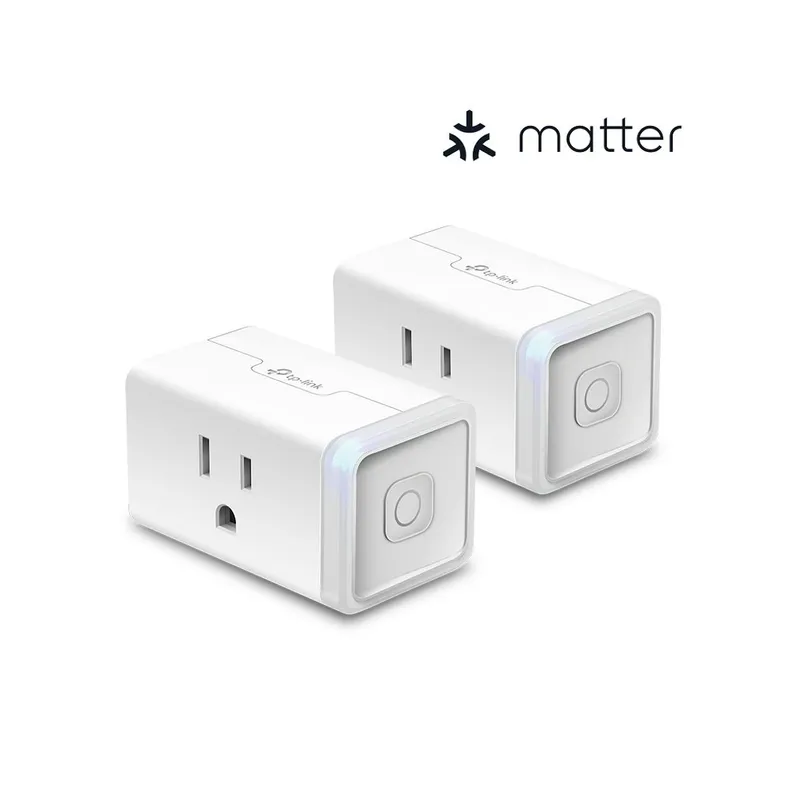
Best first device
Kasa Smart Wi-Fi Plug Slim with Energy Monitoring (Matter)Anyone new to smart home, whatever phone or speaker they use
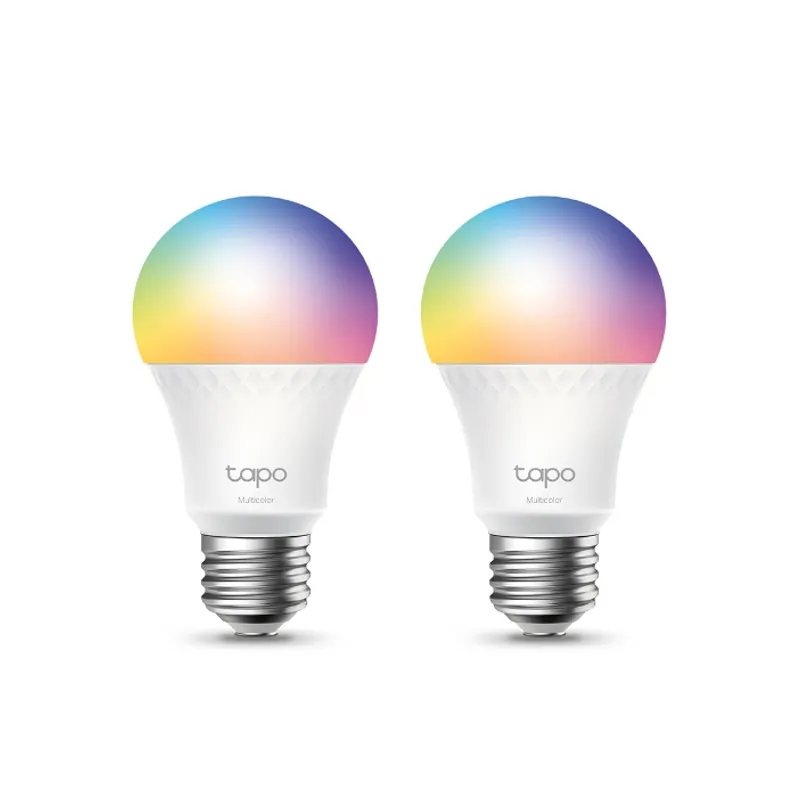
Best first smart bulb
Tapo L535E Matter Smart Wi-Fi Light Bulb, Multicolor (75W equivalent, 1100 lumens, 2-pack)Living rooms and bedrooms where a bright, colorful lamp makes an instant impression
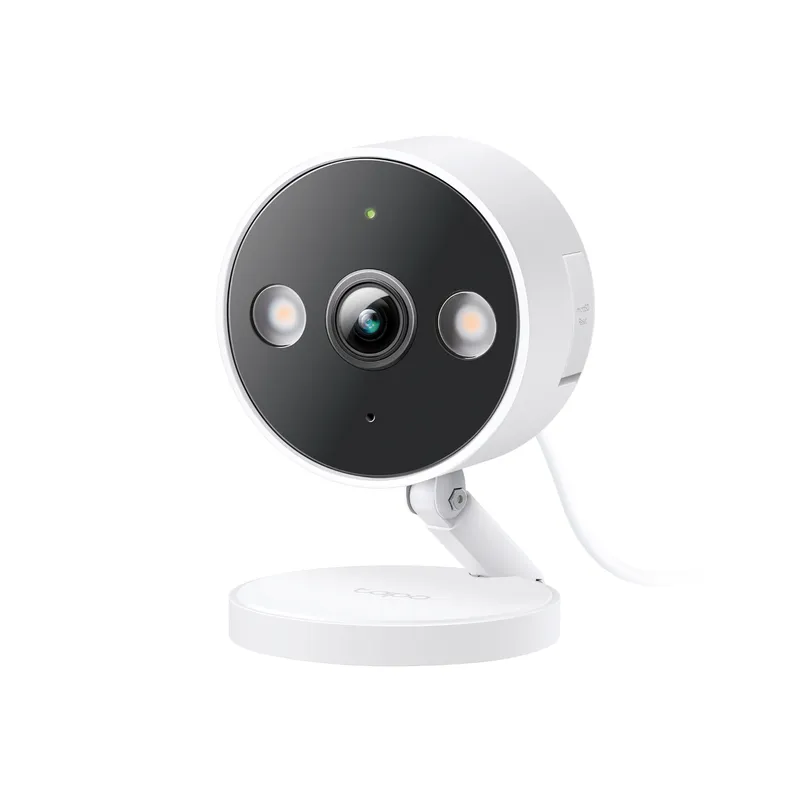
Best first camera
Tapo C120 Indoor/Outdoor Wi-Fi Home Security CameraPet owners, new parents and anyone who wants to check on home with no monthly fee
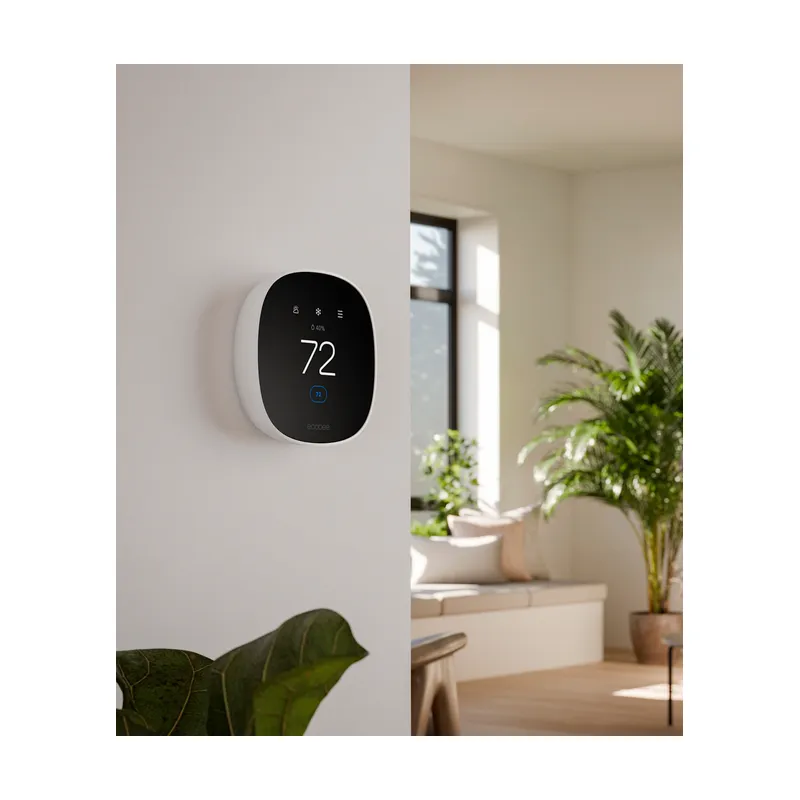
Best big first upgrade
ecobee Smart Thermostat EssentialHomeowners with a simple furnace, AC or heat pump who want schedules and app control
Best doorbell without wiring
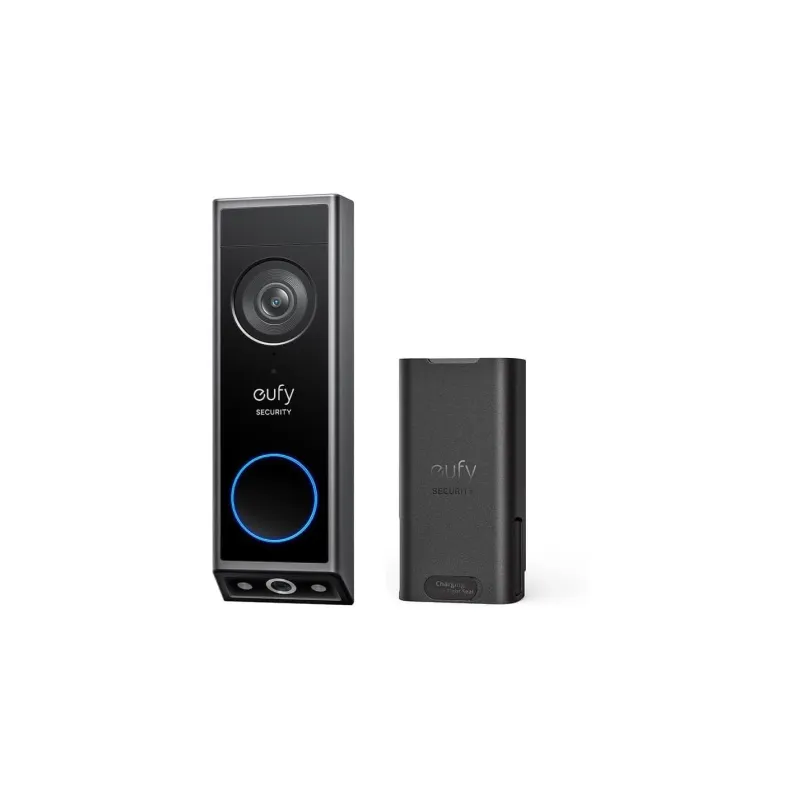
eufy Security Video Doorbell E340 (Battery Powered, Dual Cameras)Front doors with package deliveries and no existing doorbell wiring
Best to grow into
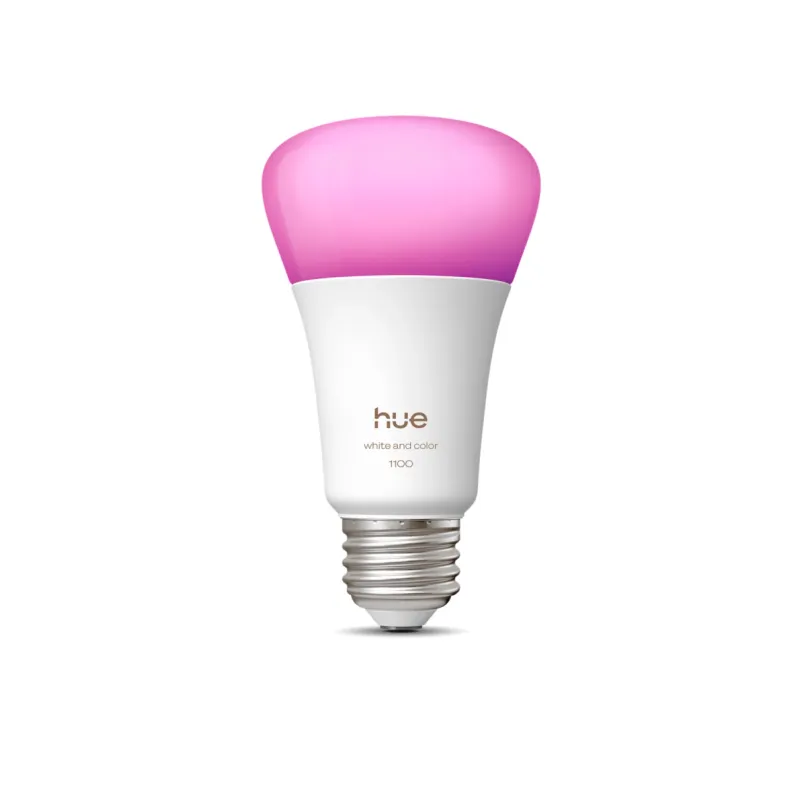
Philips Hue White and Color Ambiance A19 E26 Smart Bulb (75W equivalent, 1100 lumens)Beginners who already know they want smart lighting in every room
The best smart home gift for a beginner isn't the fanciest gadget. It's the one that works the first time, from the phone they already have, without a hub, an electrician or a new monthly bill. Get that first device right and they'll want a second one. Get it wrong and it ends up in a drawer.
We compared official specs from TP-Link, ecobee, eufy and Signify (Philips Hue) and analyzed long-term owner feedback on setup, reliability and how well each device works with Apple Home, Alexa and Google Home. Unlike our best budget smart home gifts, which stays in the lowest price tier, this list covers every tier and ranks on how friendly each device is to someone starting from zero.
How we chose
Every pick sets up from a phone app and does one useful job well. We gave extra weight to devices that work with all three big assistants (so you don't have to guess), that don't need a subscription to do their basic job, and that don't need a hub or new wiring. We flagged the two picks that change something in the house (a thermostat and a doorbell) so you can coordinate before you wrap them.
| Model | Kasa KP125M | Tapo L535E | Tapo C120 | ecobee Essential | eufy Video Doorbell E340 | Philips Hue White and Color A19 |
|---|---|---|---|---|---|---|
| Our score | 8.8/10 | 8.3/10 | 8.8/10 | 8.5/10 | 8.3/10 | 8.4/10 |
| Price tier | $ (Budget) | $ (Budget) | $ (Budget) | $$ (Mid-range) | $$ (Mid-range) | $$ (Mid-range) |
| Smart home | Matter certified; voice control with Alexa, Siri and Google Assistant; Apple Home setup through Matter | Matter compatible; works with Google Home and Amazon Alexa, plus Siri and Apple Home | Alexa, Google Assistant and Samsung SmartThings | Apple Home, Google Assistant, Amazon Alexa | Works with Alexa and Google Assistant | — |
| Wi-Fi | — | — | 2.4 GHz only | Wi-Fi 6, 2.4 GHz only; Bluetooth LE 5.4 | 2.4 GHz only | — |
| Hub | — | No hub required (a hub is only needed for Tapo buttons and sensors) | — | — | — | Optional. Bluetooth app controls up to 10 lights in one room; a Hue Bridge adds remote access, advanced automations, up to 50 lights, and Matter and Apple HomeKit support |
| Power | — | — | — | No C wire needed with the Power Extender Kit (sold separately) | Battery powered or wired; detachable battery fully charges in 5 hours | — |
| Video storage | — | — | — | — | 8 GB on-device storage, no subscription required; expandable with HomeBase S380; optional cloud | — |
| Warranty | — | — | — | 3 years | — | — |
| Best for | Most homes, especially anyone who wants energy readings and Matter | Anyone who wants a bright, no-hub Matter color bulb at a fair price | Most homes that want a sharp, low-cost camera with no monthly fee | Most homes that want a reliable smart schedule and app control without paying for sensors and voice | Package-heavy homes that want a doorbell with no monthly fee and local storage | Anyone building a whole-home lighting system they will expand over time |
The best smart home gifts for beginners, ranked
1. Best first device
Kasa Smart Wi-Fi Plug Slim with Energy Monitoring (Matter)

Best for: Most homes, especially anyone who wants energy readings and Matter
Skip it if: You only need a basic on/off schedule and want the cheapest plug
What owners like
- Owners frequently mention easy setup in Apple Home and Google Home through Matter
- The energy readings are often cited as useful for finding power-hungry devices
- Owners like that two plugs fit on one wall outlet
Watch out for
- Some owners report occasional drops off Wi-Fi that need a re-pair
- It only works on 2.4 GHz Wi-Fi, which trips up some setups
- A few features (like the auto-off timer) arrived later or are still pending
A smart plug is the gentlest way into smart home, and the KP125M is the one we'd give when you don't know which phone or speaker the person uses. It's Matter certified, so it sets up in Apple Home, Alexa or Google Home, and it does more than switch a lamp: it tracks real-time and historical energy use, estimates the bill and can shut off a device above a power level you set. It handles 15 amps (1,800 watts) and is small enough that two fit on one outlet. Owners frequently mention easy setup through Matter and find the energy readings useful for spotting power-hungry devices. The catches: 2.4 GHz Wi-Fi only, and some owners report occasional drops that need a re-pair. For holiday lights, our guide to putting holiday lights on a timer is a great first project. More detail in our Kasa KP125M review.
Key specs and score breakdown
- Max load
- 15 A, 1,800 W (general use / resistive load), 1/6 HP motor
- Input voltage
- 100–120 V, 50/60 Hz
- Smart home
- Matter certified; voice control with Alexa, Siri and Google Assistant; Apple Home setup through Matter
- Energy monitoring
- Yes: real-time and historical use, bill estimate, auto shutoff above a set power level
- Size
- 2.6 x 1.5 x 1.6 in; two can share one duplex outlet
- Features
- Schedules, Away Mode, remote control, groups
- Certifications
- UL, FCC, IC, RoHS; UL94 V-0 flame-retardant housing
- Operating temperature
- 32–104°F (indoor use)
Specs from the Kasa (TP-Link) product page, checked November 8, 2026.
- Performance (30%)
- 8.6
- Ease of use (20%)
- 9.0
- Fit for the home (20%)
- 9.2
- Build & support (15%)
- 8.6
- Value (15%)
- 9.0
2. Best first smart bulb
Tapo L535E Matter Smart Wi-Fi Light Bulb, Multicolor (75W equivalent, 1100 lumens, 2-pack)

Best for: Anyone who wants a bright, no-hub Matter color bulb at a fair price
Skip it if: You need a bulb that works with a wall dimmer or a 5 GHz-only network
What owners like
- Owners frequently mention easy Matter pairing in Apple Home and Google Home by scanning the code
- The extra brightness is often cited as a reason to choose it over 800-lumen bulbs
- Many owners report stable connections over months of use
Watch out for
- Some owners find saturated colors look dim compared with white light
- A few say the lowest brightness setting is still too bright for a night light
- Some report firmware updates that temporarily changed features or Matter behavior
If you want the gift to get a "wow" the first night, give color light. The Tapo L535E puts out 1,100 lumens (a 75-watt equivalent), brighter than most 800-lumen color bulbs, with millions of colors, tunable white from 2500 to 6500K and a CRI of 90 or higher, so white light looks natural. It needs no hub, is Matter compatible and works with Apple Home, Alexa and Google Home, and the 2-pack sits in the lowest price tier. Owners frequently mention easy pairing by scanning the Matter code. The trade-offs: it won't work on a wall dimmer, saturated colors look dimmer than white, and the lowest setting is too bright for a night light for some owners. Not sure whether to start with a bulb or a plug? See smart bulb vs smart plug.
Key specs and score breakdown
- Brightness
- 1,100 lumens (75 W equivalent), 9.5 W max
- Light range
- Millions of colors plus tunable white, 2500–6500K
- Connectivity
- 2.4 GHz Wi-Fi only (802.11b/g/n); Bluetooth for setup only
- Hub
- No hub required (a hub is only needed for Tapo buttons and sensors)
- Smart home
- Matter compatible; works with Google Home and Amazon Alexa, plus Siri and Apple Home
- Rated life
- 25,000 hours; 15,000 switching cycles
- Color quality
- CRI 90 or higher
- Bulb
- A19 shape, E26 base, 120 V; works with regular switches, not with dimmers
Specs from the Tapo (TP-Link) product page, checked November 9, 2026.
- Performance (30%)
- 8.8
- Ease of use (20%)
- 8.6
- Fit for the home (20%)
- 8.8
- Build & support (15%)
- 8.0
- Value (15%)
- 8.8
3. Best first camera
Tapo C120 Indoor/Outdoor Wi-Fi Home Security Camera

Best for: Most homes that want a sharp, low-cost camera with no monthly fee
Skip it if: You need a camera that pans to cover a whole room
What owners like
- Sharp picture for a low-priced camera
- No subscription needed for alerts and local recording
- Easy setup in the Tapo app
Watch out for
- 2.4 GHz Wi-Fi only
- Fixed lens: it can't pan or tilt to follow motion
- microSD card is sold separately
A camera is the device beginners end up checking most, and the Tapo C120 is the easiest one to say yes to because it has no required monthly fee. It records 2K video, has color night vision up to 40 feet, and detects people, pets, vehicles and a crying baby without a subscription, saving to a microSD card up to 512 GB. It's IP66 rated, so it can move to a porch later. Owners frequently mention a sharp picture for the price and easy setup in the Tapo app. It ranks third because it works with Alexa and Google Assistant but doesn't list Apple Home, the lens is fixed, it needs 2.4 GHz Wi-Fi, and the microSD card is sold separately, so tuck one in with the gift. Our Tapo C120 review has the details.
Key specs and score breakdown
- Video resolution
- 2K (2560 x 1440)
- Night vision
- Infrared and color night vision (2 spotlights), up to 40 ft
- AI detection
- Person, pet, vehicle and baby cry, without a subscription
- Local storage
- microSD card up to 512 GB (sold separately)
- Cloud
- Optional Tapo Care subscription
- Weather rating
- IP66 (indoor or outdoor)
- Wi-Fi
- 2.4 GHz only
- Privacy
- Custom privacy zones
Specs from the Tapo (TP-Link) product page, checked November 12, 2026.
- Performance (30%)
- 8.8
- Ease of use (20%)
- 8.6
- Fit for the home (20%)
- 8.0
- Build & support (15%)
- 8.4
- Value (15%)
- 9.4
4. Best big first upgrade
ecobee Smart Thermostat Essential

Best for: Most homes that want a reliable smart schedule and app control without paying for sensors and voice
Skip it if: You need a room sensor out of the box, or your system needs both 2 heat and 2 cool stages
What owners like
- Easy setup and a clear interface for the price
- Works with Apple, Google and Alexa homes
- The power adapter solves homes without a C wire
Watch out for
- No voice assistant and no room sensor in the box
- The C-wire adapter costs extra
- Some owners hit app bugs where settings didn't stick until an update
This is the bigger gift, best for a homeowner who has already said they want one. The ecobee Essential has a full-color touchscreen, schedules and app control, works with Apple Home, Google Assistant and Alexa, is ENERGY STAR certified and carries a 3-year warranty. Owners frequently mention easy setup and a clear interface for the price. Coordinate before you buy: it replaces the existing thermostat, it supports 2 heat + 1 cool or 2 cool + 1 heat (not both), and homes without a C wire need the Power Extender Kit, sold separately. There's no room sensor or voice assistant in the box. Our ecobee Essential review walks through the wiring check, and our best smart thermostats compares it with the Premium and the Nest.
Key specs and score breakdown
- Power / C wire
- No C wire needed with the Power Extender Kit (sold separately)
- HVAC compatibility
- Radiant, multistage and dual-fuel heat pumps; 2 cool + 1 heat or 2 heat + 1 cool (not both)
- Display
- Full-color touchscreen
- Room sensors
- None included; pairs with ecobee SmartSensors (not the first-generation Room Sensor)
- Voice assistant
- None built in
- Smart home platforms
- Apple Home, Google Assistant, Amazon Alexa
- Wi-Fi
- Wi-Fi 6, 2.4 GHz only; Bluetooth LE 5.4
- Dimensions
- 3.62 x 3.62 x 0.91 in
Specs from the ecobee product page, checked November 13, 2026.
- Performance (30%)
- 8.4
- Ease of use (20%)
- 8.2
- Fit for the home (20%)
- 7.8
- Build & support (15%)
- 8.6
- Value (15%)
- 8.6
5. Best doorbell without wiring
eufy Security Video Doorbell E340 (Battery Powered, Dual Cameras)

Best for: Package-heavy homes that want a doorbell with no monthly fee and local storage
Skip it if: You want the sharpest 4K picture or a 5 GHz connection
What owners like
- No subscription needed to keep video
- The downward package camera is genuinely useful
- Good value for two cameras
Watch out for
- 2.4 GHz Wi-Fi only
- Live view can be slow to wake up
- Battery life falls short at high-traffic doors
Most video doorbells need doorbell wiring. The eufy E340 can run on its detachable battery, which makes it the easiest doorbell for a beginner to install. It has two cameras, a 2K front camera with a 160° view plus a downward-facing camera that watches packages on the step, color night vision, and AI person, package and face detection. Video saves to 8 GB of on-device storage with no subscription required. Owners frequently mention the package camera as genuinely useful and like having two cameras for the price. The trade-offs: 2.4 GHz Wi-Fi only, live view can be slow to wake, battery life falls short at busy doors, it lists Alexa and Google but not Apple Home, and eufy has faced past criticism over its privacy and cloud practices. Our eufy E340 review and best video doorbells cover the alternatives.
Key specs and score breakdown
- Video resolution
- 2K
- Field of view
- 160°
- Cameras
- Dual: front camera plus a downward-facing package camera
- Night vision
- Color night vision up to 16 ft
- Power
- Battery powered or wired; detachable battery fully charges in 5 hours
- Wired requirements
- 8–24 V doorbell wiring, more than 10 VA; the battery stays installed in wired mode
- Video storage
- 8 GB on-device storage, no subscription required; expandable with HomeBase S380; optional cloud
- Motion detection
- AI human, package and face detection
Specs from the eufy product page, checked November 13, 2026.
- Performance (30%)
- 8.6
- Ease of use (20%)
- 8.4
- Fit for the home (20%)
- 7.8
- Build & support (15%)
- 7.8
- Value (15%)
- 8.6
6. Best to grow into
Philips Hue White and Color Ambiance A19 E26 Smart Bulb (75W equivalent, 1100 lumens)

Best for: Anyone building a whole-home lighting system they will expand over time
Skip it if: You only want one or two colored lamps and don't want to buy a hub
What owners like
- Owners frequently mention rich, accurate colors and smooth dimming
- Many say the Hue app and the Bridge make whole-home routines dependable
- Owners often cite long-lasting bulbs that keep working after years of daily use
Watch out for
- The price per bulb is the most common complaint
- Bluetooth-only use feels limited; owners say the Bridge is close to essential for the full experience
- A few owners report the occasional bulb that drops off the Bridge and needs a reset
Philips Hue is the gift for the beginner who already knows they'll want smart lights in every room. The A19 bulb gives up to 1,100 lumens, rich color plus warm-to-cool white, dimming down to 0.2% and a rated life of 25,000 hours. It works over Bluetooth with no hub for up to 10 lights in one room. Owners frequently mention accurate colors, smooth dimming and bulbs that keep working for years. It ranks last for a beginner because voice control, remote access and Apple Home support need a Hue Bridge, sold separately, and the price per bulb is the most common complaint. If you're giving Hue, plan on the Bridge, and see our best smart light bulbs for how it compares.
Key specs and score breakdown
- Brightness
- Up to 1,100 lumens (75 W equivalent), 9.5 W
- Light range
- Color plus warm-to-cool white; full-spectrum white listed as 1000–20000K
- Connectivity
- Bluetooth and Zigbee; works without Wi-Fi
- Hub
- Optional. Bluetooth app controls up to 10 lights in one room; a Hue Bridge adds remote access, advanced automations, up to 50 lights, and Matter and Apple HomeKit support
- Voice assistants
- Require a Hue Bridge
- Rated life
- 25,000 hours nominal; 50,000 switch cycles
- Dimming
- Dimmable down to 0.2%
- Bulb
- A19 shape, E26 base, 110–130 V, CRI above 80, 4-7/16 in tall
Specs from the Philips Hue product page, checked November 14, 2026.
- Performance (30%)
- 9.2
- Ease of use (20%)
- 7.8
- Fit for the home (20%)
- 8.4
- Build & support (15%)
- 9.0
- Value (15%)
- 7.4
How to choose a smart home gift for a beginner
Ask one question: iPhone or Android?
Then ask which speaker they have, if any. Apple Home users need Matter or Apple Home support, which the Kasa KP125M, Tapo L535E and ecobee Essential have. The Tapo C120 and eufy E340 list Alexa and Google but not Apple Home, though both work fine in their own apps. When you can't ask, give the plug or the bulb.
Start with something that plugs in or screws in
Plugs, bulbs and plug-in cameras can't be installed wrong. Thermostats and doorbells replace something on the wall, so check with the homeowner (and the landlord, for renters) before you buy. Our best gifts for renters lists the devices that leave no trace.
Check the Wi-Fi
Every Wi-Fi pick here uses the 2.4 GHz band, which nearly every home router offers. Some mesh systems combine 2.4 and 5 GHz under one network name, which can trip up setup; turning on the router's 2.4 GHz or "compatibility" mode during setup usually fixes it.
Avoid surprise subscriptions
The Tapo C120 records to a microSD card and the eufy E340 stores video on the doorbell, both with no monthly fee required. Some popular cameras, like the Ring Indoor Cam, need a paid plan to save and review recorded video, so they fit best in homes already paying for Ring.
Shop the sales
Smart plugs, bulbs, cameras, doorbells and thermostats are regular Black Friday and Cyber Monday deals, often in multi-packs. The tiers here are list prices; check today's price and our Black Friday deals page before you buy.
What we considered but didn't pick
- Ring Indoor Cam (2nd Gen). Very easy setup and a physical privacy cover, but saving and reviewing recorded video requires a paid Ring plan, which is a lot to hand a beginner.
- ecobee Smart Thermostat Premium. Our top thermostat, with a room sensor and C-wire adapter in the box, but it sits a tier above the Essential and adds features a first-timer may not use.
- Smart speakers and displays. Great hubs for voice control, but the person may already own one, and a second one is a less useful gift than a device it can control.
More gift ideas: our best gifts for new homeowners, best cozy winter gifts and best gifts for home office comfort. For someone who already owns the basics, see our best gifts for tech lovers.
Frequently asked questions
What is the best smart home device for a beginner?
A smart plug. It needs no wiring, sets up from a phone in minutes and makes any lamp, fan or holiday display smart. Pick one that's Matter certified, like the Kasa KP125M, so it works with Apple Home, Alexa and Google Home and you don't have to know which one the person uses.
Do beginners need a smart home hub?
No. Every pick here except the Philips Hue bulb works straight over Wi-Fi with no hub. Hue works over Bluetooth for up to 10 lights in one room, but voice control, remote access and Apple Home support need a Hue Bridge, so plan on one if you give Hue.
What smart home gift works with both iPhone and Android?
Look for Matter on the box. The Kasa KP125M and Tapo L535E are Matter certified or compatible and work with Apple Home, Google Home and Alexa. The ecobee Essential lists Apple Home, Google Assistant and Alexa support directly.
Is a smart thermostat a good gift?
For a homeowner who has asked for one, yes, but coordinate first. It replaces the existing thermostat, needs a compatible HVAC system and may need ecobee's Power Extender Kit (sold separately) if there's no C wire. Renters should check with the landlord.
Will smart home devices be on sale for Black Friday?
Smart plugs, bulbs, cameras, doorbells and thermostats are some of the most common Black Friday and Cyber Monday deals. The tiers we show are list prices, so check today's price before you buy.
Keep reading

Best Air Purifiers for Smoke and Cooking Odors 2026: 4 Picks Ranked by Smoke CADR
Four air purifiers ranked by smoke CADR and carbon filtering, for wildfire smoke, cooking fumes and everyday odors in living rooms and bedrooms.

Is the Blueair Blue Pure 211i Max Worth It for Big Rooms? Our Review
A 435 CFM smoke CADR, 674 sq ft rating and an app. Where the Blueair Blue Pure 211i Max shines, where it falls short, and who should skip it.

The Outdoor Smart Plug for Holiday Lights: Kasa EP40M Review
Two separately controlled outlets, IP64 weather resistance and Matter support. Where the Kasa EP40M shines, where it falls short, and who should skip it.